
Connecting Cursor and OpenCode to Xcode via MCP
Xcode 27+ can expose project-aware tools to external coding agents through its built-in MCP bridge.
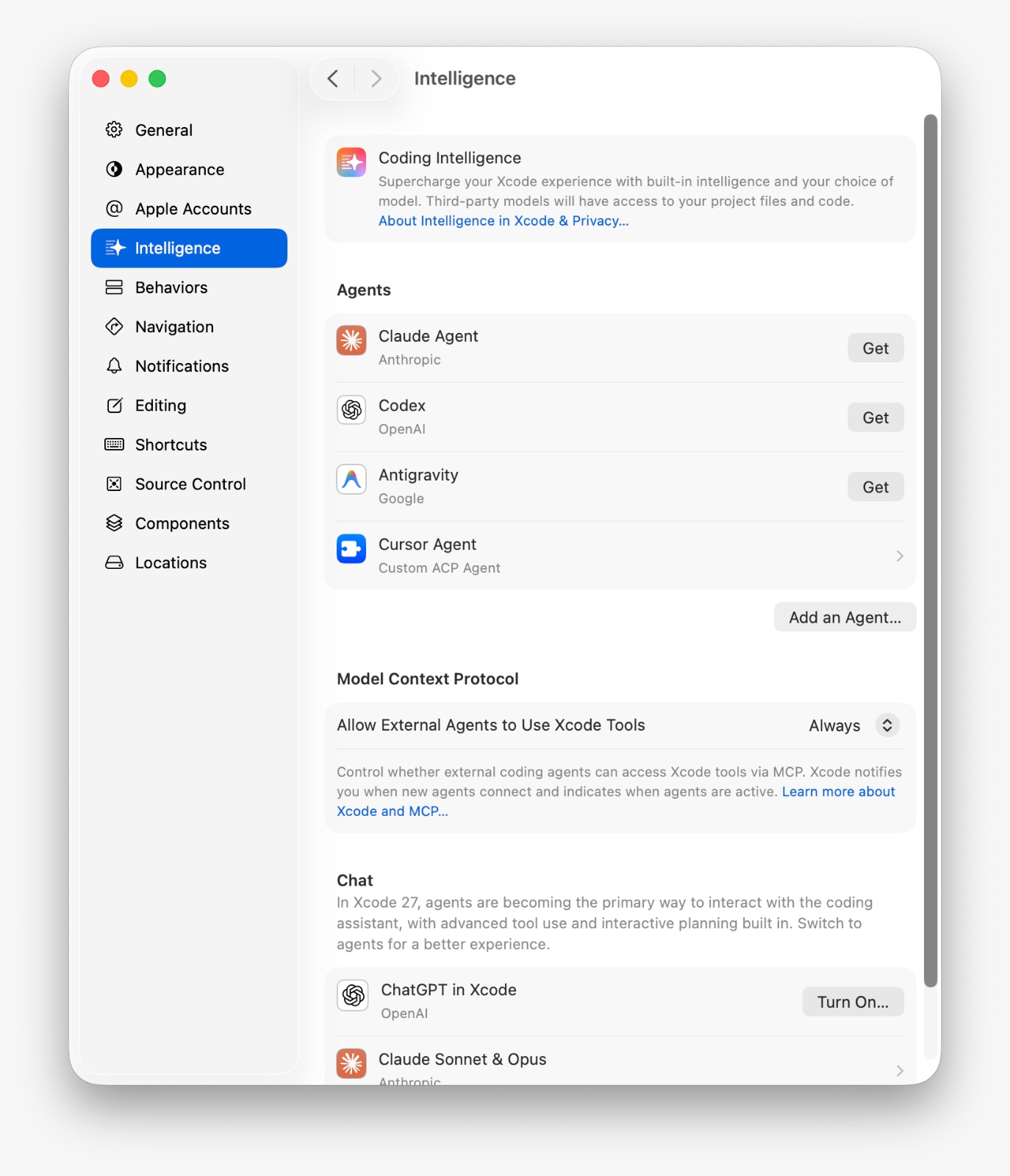
A compatible client can use Xcode’s project model to inspect and edit files, build the active scheme, and read diagnostics. Apple exposes these tools over standard input and output through xcrun mcpbridge.
Enable Xcode’s MCP bridge
Open Xcode → Settings → Intelligence. Under Model Context Protocol, turn on Allow external agents to use Xcode tools. This permits a local MCP client to connect to Xcode; it does not install an agent or send the project to another service.
Configure Cursor
Add the server to the project’s .cursor/mcp.json, or to ~/.cursor/mcp.json for a global configuration:
{
  "mcpServers": {
    "xcode": {
      "type": "stdio",
      "command": "xcrun",
      "args": ["mcpbridge"]
    }
  }
}
Restart Cursor or reload its MCP servers. The xcode server and its tools should then appear in Cursor’s MCP settings.
Configure OpenCode
Add a local server to opencode.json:
{
  "$schema": "https://opencode.ai/config.json",
  "mcp": {
    "xcode-tools": {
      "type": "local",
      "command": ["xcrun", "mcpbridge"],
      "enabled": true
    }
  }
}
Start OpenCode from the project directory and run opencode mcp list to confirm the connection. Merge this entry into any existing mcp object.
Keep the project open and give the agent a hint
Open the correct .xcodeproj or .xcworkspace, select the intended scheme and destination, and leave Xcode running. If several workspaces are open, identify the target in your prompt; a short note in AGENTS.md can also record the usual workspace, scheme, and build expectations.
The same bridge works with Codex and Claude
Apple’s documentation for giving external agents access to Xcode shows codex mcp add xcode -- xcrun mcpbridge and claude mcp add --transport stdio xcode -- xcrun mcpbridge. Both clients use the same local bridge.
Related reading
Mobile release readiness: what to verify before launch
A practical guide to observability, upgrades, staged rollout, store dependencies, and recovery decisions before a mobile launch.
Read →Designing human-in-the-loop AI for operations
A practical control model for integrating AI into measurable workflows while keeping review, exceptions, and accountability explicit.
Read →Tell us what you’re building.
A short conversation is enough to find out whether we are the right studio for your product. We reply within two business days.